One source of truth for your team's SOLIDWORKS files.
RKad gives every part a number, a history and an owner. Lock it, edit it in SOLIDWORKS, upload it with a note. Nobody overwrites anyone, and every assembly opens on every machine.
Windows 10 and 11 · Sign in with an invite code from your team
Internal Structures
Shared drives weren't built for CAD. Two people save the same part. A rename breaks the top assembly. Nobody knows which file went to manufacturing. RKad fixes the boring part, so your team can get back to building rockets.
Lock, edit, upload. That's the whole workflow.
You keep working in SOLIDWORKS. RKad sits beside it and keeps the files in order.
Take the part
Only the person holding a part's lock can edit it. Everyone else gets a read-only copy and sees who has it, and since when.
Work in SOLIDWORKS
Every machine uses the same folder, so assemblies open with their references resolved. No Pack and Go, no zip files.
Ship it with a note
Upload checks the name, properties, SOLIDWORKS version and references, saves a new version and frees the lock.
Part numbers handed out by the server.
Pick a subsystem, type a description, and RKad creates the file from your team's template with the next free number. No spreadsheets, no duplicates, one naming convention for everyone.
- Subsystem ranges and families, like 0620–0639 for the motor section
- Reserve numbers ahead of time to keep working offline
- Rename once and every assembly and drawing follows
FINFinsSTRInternal StructuresHDWHardwareEvery upload checked before it lands.
RKad reads the file with SOLIDWORKS and catches the mistakes that usually show up the night before a design review.
- Custom properties: part number, revision, material, designer
- Saved in your team's SOLIDWORKS release, not a newer one
- Drawings on your school's sheet formats and drafting standard
Every version, every note, kept for good.
See who changed what and why. Download any older version, compare, or bring it back as a new version. History is never rewritten, and versions marked for a report or for manufacturing are never deleted.
- Mark release versions for design reports and manufacturing
- Uploads from an old base are refused, never merged
Bore 8 → 8.5 mm for the new motor retainer.
Lightening pockets, −48 g.
Switched to 7075-T6.
Fillets on the thrust face.
Know what breaks before you change it.
RKad reads assembly and drawing references on every upload. Every part shows where it's used, and a rename repoints those assemblies and drawings in SOLIDWORKS for you.
_MotorBlock2 assemblies, 1 drawing updatedSee the whole rocket. Fly the same one you built.
The top assembly in 3D, linked to the part list. The season's OpenRocket design is locked and versioned just like CAD, with the numbers that matter on every version.
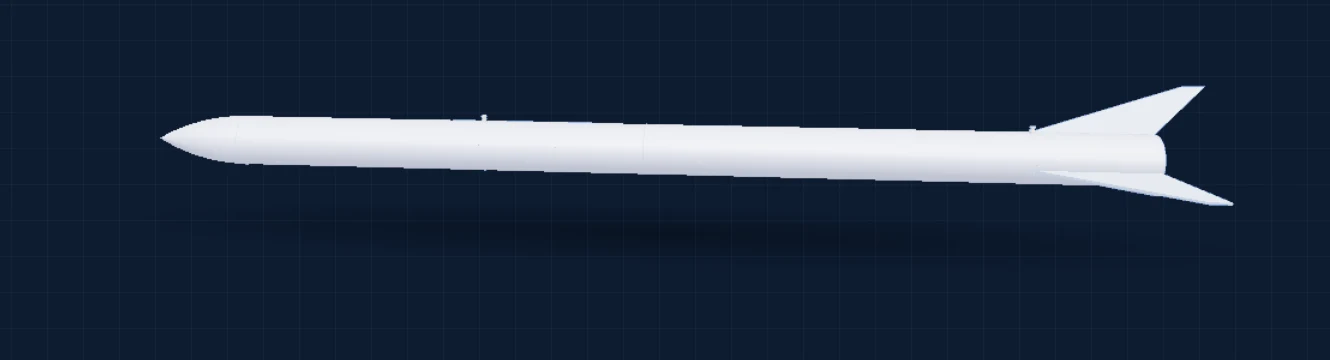
NSCNose ConeUBTUpper Body TubeINTIntegrationLBTLower Body TubeFINFinsSTRInternal Structures
Flight design, version by version.
RKad reads each .ork upload: OpenRocket release, motors and saved simulation results, and compares every version with the last.
Competition rules, checked on upload.
Metrics from the design are checked against your competition's rulebook. A disqualifying failure stops the upload unless a captain signs off.
4.4.54.4.84.5.15CADEverything a season throws at you.
Works offline
Keep editing locked parts at the launch site. Changes upload when you're back online.
Older SOLIDWORKS too
Every version also comes as Parasolid and STEP, so members on an older release can still open it.
Notifications
A new version, a freed lock, a broken lock: you hear about it within a minute.
Change requests
Try ideas on a study copy of the flight design and send the changes to whoever holds the lock.
Roles that fit a team
Captains invite members, break stale locks and approve exceptions. Members just work.
Your structure, your rules
Subsystems, number ranges, properties and templates live in one team template, versioned like everything else.
New season in one click
Same structure, new season code, fresh numbers. Last season's parts stay one click away.
Team analytics
See how the team works: uploads, lock times, overwrites prevented, hours saved.
Ten-minute onboarding
Install, enter the invite code, and the top assembly opens with every reference resolved.
Built the way engineering teams actually work.
SOLIDWORKS stays SOLIDWORKS.
RKad is not a new CAD tool and not a heavyweight PDM. No approval workflows, no BOM module. Just files in order.
Nothing is silently overwritten.
Every upload names the version it started from. If someone got there first, you decide what happens. Local changes are moved aside, never deleted.
Your files stay yours.
Files go straight to storage, never through our server, with a nightly backup at a second provider. Usage data names people by id only.
Do we have to change how we use SOLIDWORKS?
No. You open, edit and save in SOLIDWORKS as always. RKad decides who may write to which file, and keeps the history.
Does it need a SOLIDWORKS PDM or Document Manager license?
No. RKad talks to the SOLIDWORKS you already have, so it works with Student Engineering Kit licenses too.
What if two people need the same part?
One holds the lock and edits; the other sees who has it and can view or download a read-only copy. A captain can break a forgotten lock, and the holder's local changes are kept.
What happens when someone is offline?
Parts they already locked stay editable, and new parts take numbers reserved in advance. Everything uploads when they're back, with the usual version check.
Can members without SOLIDWORKS use it?
Yes. They can browse, download, open files in eDrawings, and work on the OpenRocket design, which needs no SOLIDWORKS at all.
Where are our files stored?
In Cloudflare R2 storage, with the database in the EU and a nightly backup at Backblaze in the EU. Files move directly between your computer and storage; they never pass through RKad's server.
How do we get our team on it?
RKad is in a pilot with student rocketry teams. If your team wants in, ask whoever runs RKad for your team, or reach out to Privent.
Spend the season on the rocket, not the files.
Install RKad, enter your team's invite code, and open the top assembly in ten minutes.